Speed Auto Clicker
Automate Your Clicks. Anywhere.
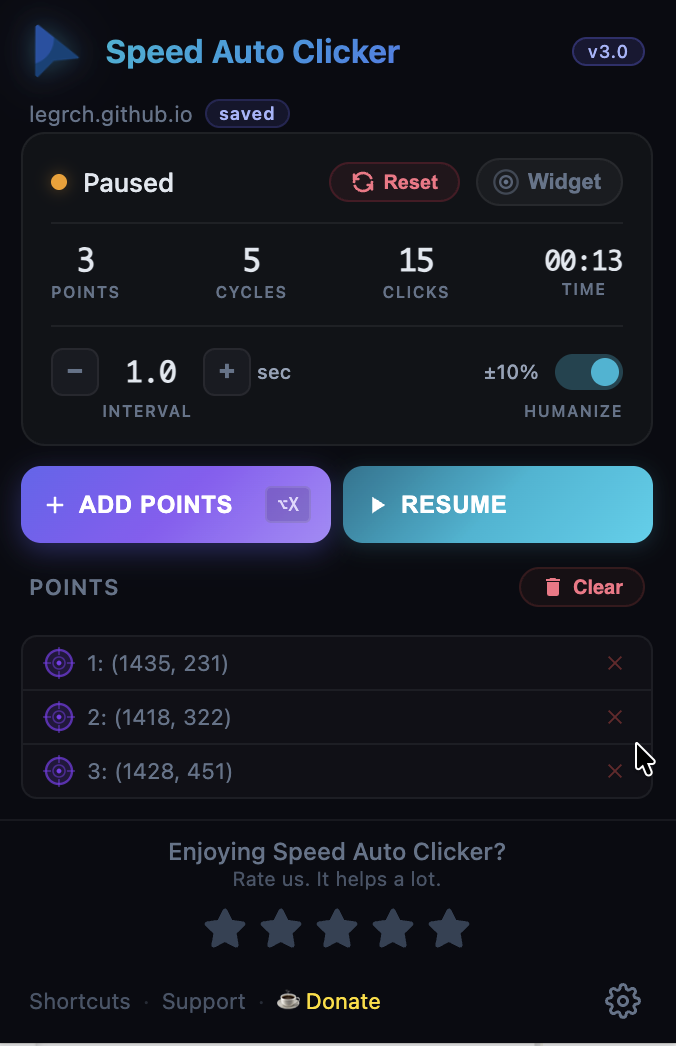
Place targets on any webpage, set the interval, hit play.
Multi-point precision, floating widget, humanized timing
— all in one extension.
Core clicking works without sign-in. We do not send page content or browsing history.
Everything you need
A complete auto clicker built for real workflows. No compromises.
Three steps. That's it.
No configuration. No learning curve. Just clicks.
Install & pin it
Add from the Chrome Web Store. Pin the extension to your toolbar so it's always one click away.
Place your targets
Open the popup or widget, click the crosshair button, then click anywhere on the page.
Hit play
Press play on the widget or popup. Your targets get clicked automatically at the interval you set.
Keyboard shortcuts built in
Every action has a shortcut. Chrome assigns default keys — customize them anytime.
Customize your shortcuts at chrome://extensions/shortcuts
Loved by users
What people are saying.
Works great, exactly what I needed. Simple and effective.
Best auto clicker I've tried. The floating widget is amazing.
Super useful for testing. Clean UI, does exactly what it says.
Enjoying Speed Auto Clicker?
The core clicker is free to use. If it saves you time, consider buying the developer a coffee.
Buy Me a CoffeeReady to automate?
Join 23,000+ users. Install Speed Auto Clicker and start clicking in seconds.
Add to Chrome — It's Free