How Speed Auto Clicker Works
From install to auto-clicking in under 30 seconds.
No accounts, no configuration, no learning curve.
Install & pin it
Add from the Chrome Web Store. Pin the extension to your toolbar for quick access.
Place your targets
Click "Add Points" in the popup, then click anywhere on the page to place targets.
Hit play
Press Play. Your targets get clicked automatically at the interval you set.
Step by step
Real screenshots from the extension.
Place your targets
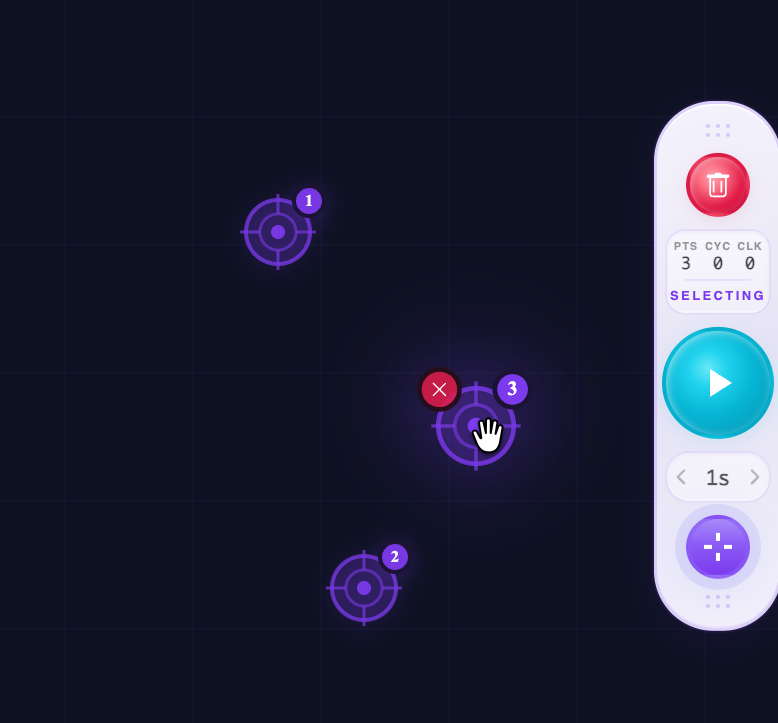
Click "Add Points" in the popup or widget, then click anywhere on the page. Each click places a numbered violet crosshair. You can place up to 100 targets on any page.
Hit Play and watch it click
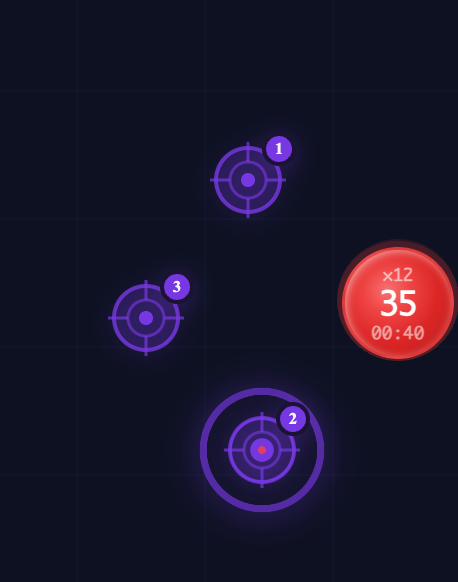
Press the Play button on the widget or popup. The clicker visits each target in sequence — you'll see a ripple effect confirming every click. The red counter shows total clicks, cycles, and elapsed time.
Manage your points
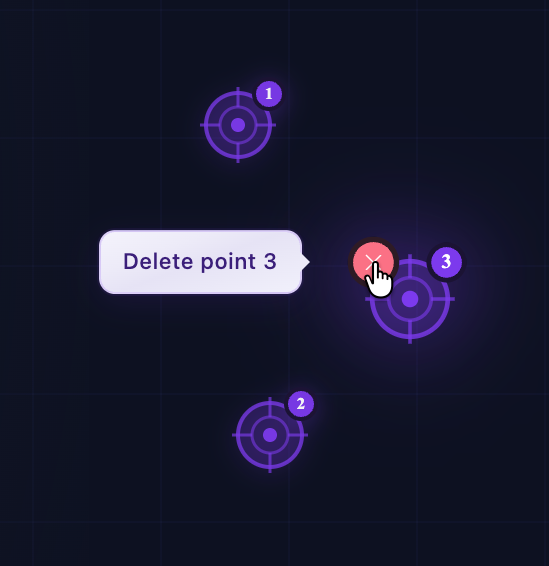
Hover any target to see its delete button. Click the X to remove a single point, or use the trash icon on the widget to clear all points at once. Every action gives you a tooltip so you always know what's happening.
The floating widget
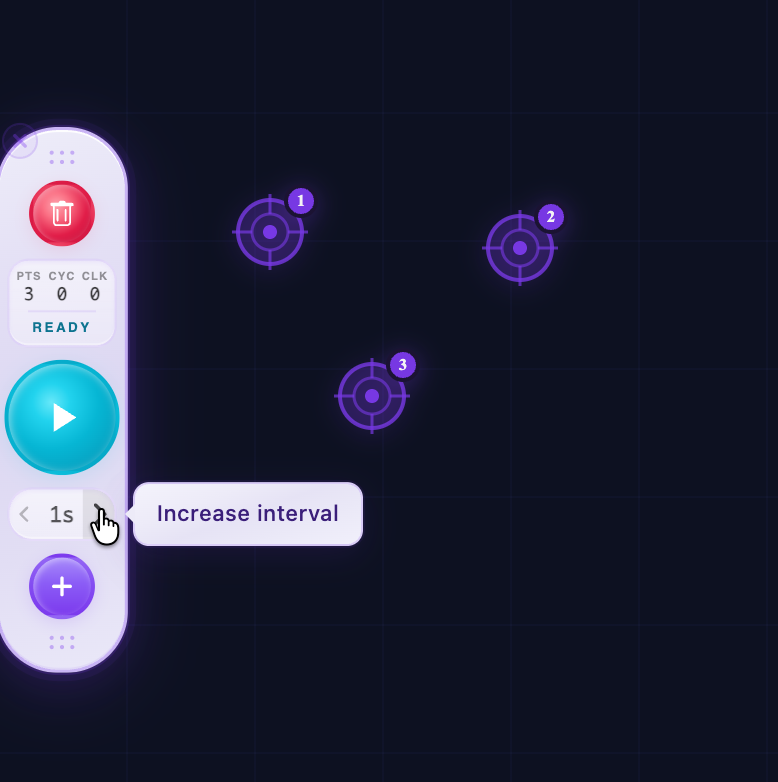
The widget stays on screen while you browse. It shows live stats (points, cycles, clicks), lets you adjust the interval with the arrow buttons, and gives you quick access to Play, Pause, Add, and Reset — all without opening the popup.
Full control from the popup
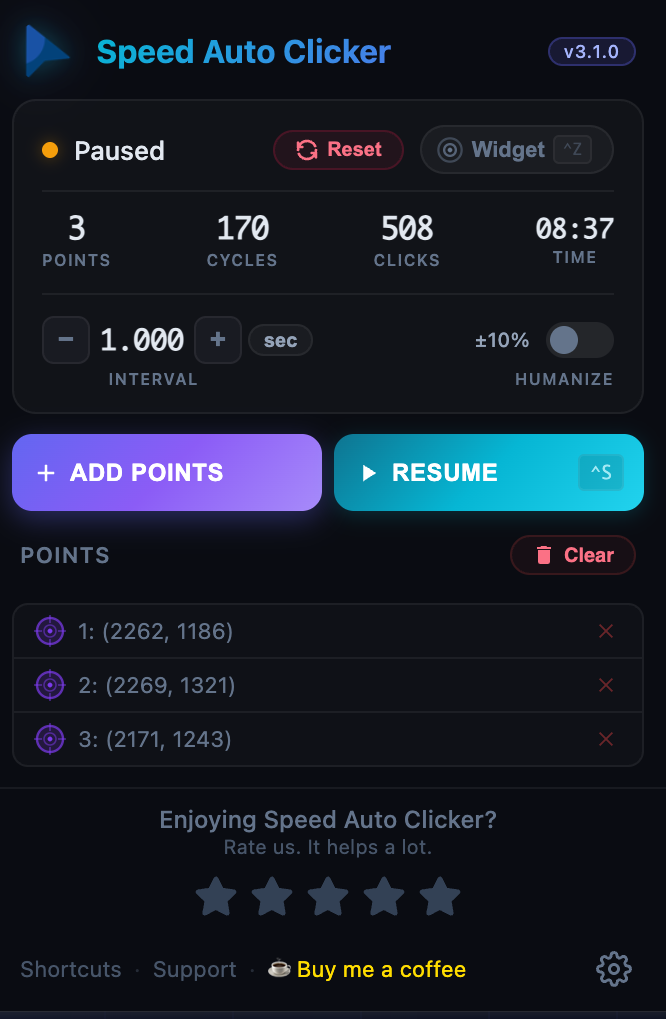
The popup gives you the complete picture: all your points with coordinates, precise interval control, Humanize toggle, and live stats. Pause anytime — your targets, cycle count, and click stats are fully preserved. Resume exactly where you left off.
Customize in Settings
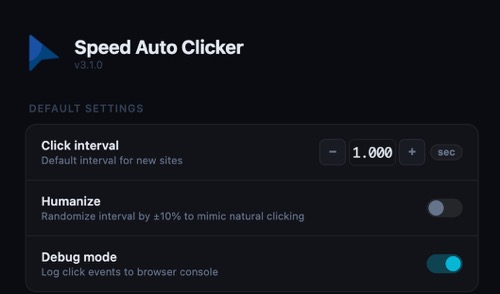
Click the gear icon to open Settings. Set your default click interval, enable Humanize mode to add natural randomness to timing, and toggle Debug mode to see click events in the browser console.
That's it — three steps to automate any clicking task.
No accounts, no data collection, no limits.
Everything included
A full-featured auto clicker built for real workflows.
Ready to try it?
Install Speed Auto Clicker and start clicking in seconds.
Add to Chrome — It's Free